Tool demo · Listing automation
CrossList
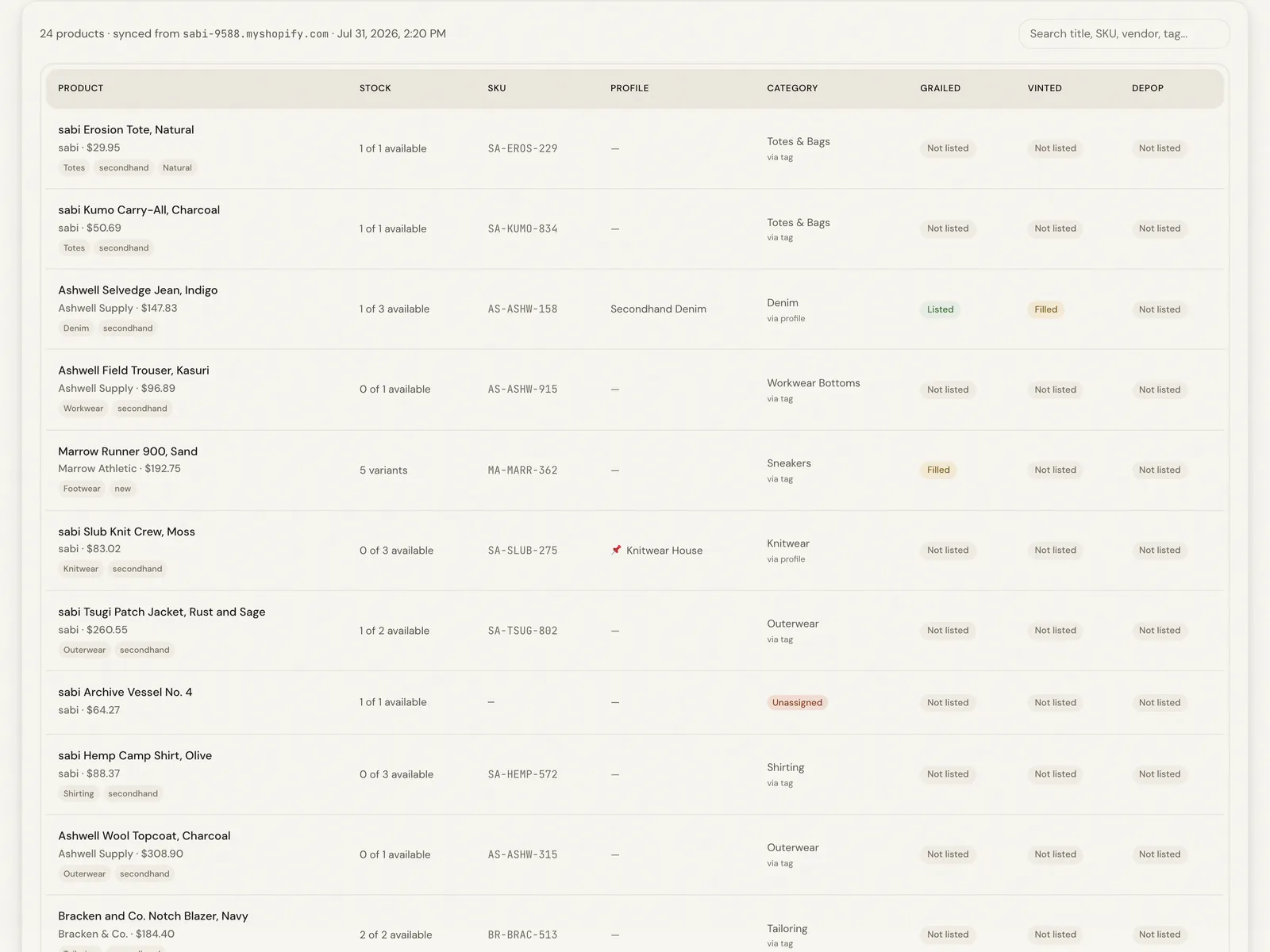
A browser extension that reads a product straight from your Shopify admin and fills in the Grailed, Vinted and Depop listing forms for you: no API credentials, no export files, no retyping.
The problem
The same item had to be typed out on Grailed, Vinted, and Depop, each with its own category tree, size labels, and brand list. The work scaled linearly with the catalog and was pure retyping, so once volume got real an item reached only the marketplace someone had time for that day. None of the three offered an API, so no integration platform could help.
The tool
- Reads a product straight from the Shopify admin page the operator already has open
- Maps it into each marketplace's own vocabulary: category tree, size labels, brand list
- Fills the Grailed, Vinted, and Depop listing forms inside the browser session already logged in, so no API credentials are needed
- Leaves the operator to review and submit each form; nothing is posted automatically
How it works
Capture without credentials
The obvious way to get product data out of Shopify is the Admin API, which means an app registration, access tokens, and a credential to store and rotate. For a tool that runs on one person's laptop that is a lot of permanent risk for a small convenience.
So the extension skips it. On a product page in Shopify admin, it derives the store domain and product id from the URL, then reads the store's public storefront JSON, the same data any visitor could fetch. When a product is a draft or unpublished, it falls back to what is already rendered on the page. No API keys exist, so none can leak.
Every marketplace speaks its own language
Filling a form is the easy half. A category on one marketplace is a different category on another, brand lists differ, and size conventions rarely line up, so copying fields across produces listings that are complete and unsearchable.
The extension carries a taxonomy per destination: category trees, designer and brand lists, and size mappings for each platform, plus templates that shape the description into the format each marketplace's buyers expect. The mapping is the product. Typing can be automated by anyone. The value is in translating one listing into the idiom of a marketplace so it surfaces in the right searches.
Why a browser extension
A server-side integration would need API access to every marketplace, and most of them offer none to individual sellers. Running inside the browser side-steps that: the extension acts as the seller, on the seller's own logged-in session, filling the forms a person would fill.
A second benefit: nothing leaves the machine. There is no backend holding a copy of the catalog, no third party with standing access to the Shopify store, and no subscription, because there is no server to pay for. For a one-person operation that combination is worth more than the polish a hosted service would add.
The general shape of this problem
Strip away the marketplaces and this is a data-translation problem: one source of truth, several destinations that each want it differently, and a person acting as the translation layer. The pattern is everywhere: a product feed reformatted for three distributors, a work order re-entered into a client's portal, the same figures rekeyed into an insurer's system. Wherever a person retypes structured data from one screen into another, the mapping already exists in their head. Writing it down turns an afternoon of copying into something that happens while they do other work.
Want this for your business?
The examples are retail because that is where I built them. The same build applies to scheduling, job costing, or field reporting. The consultation is free, and the price is fixed before the build starts.